related blog
%20(3).svg)
9
Photo Markup Tools: Study on Jobsite Efficiency
How photo markup tools cut rework, save time, and improve communication on construction jobsites with GPS, timestamps, cloud sync, and annotated photos.
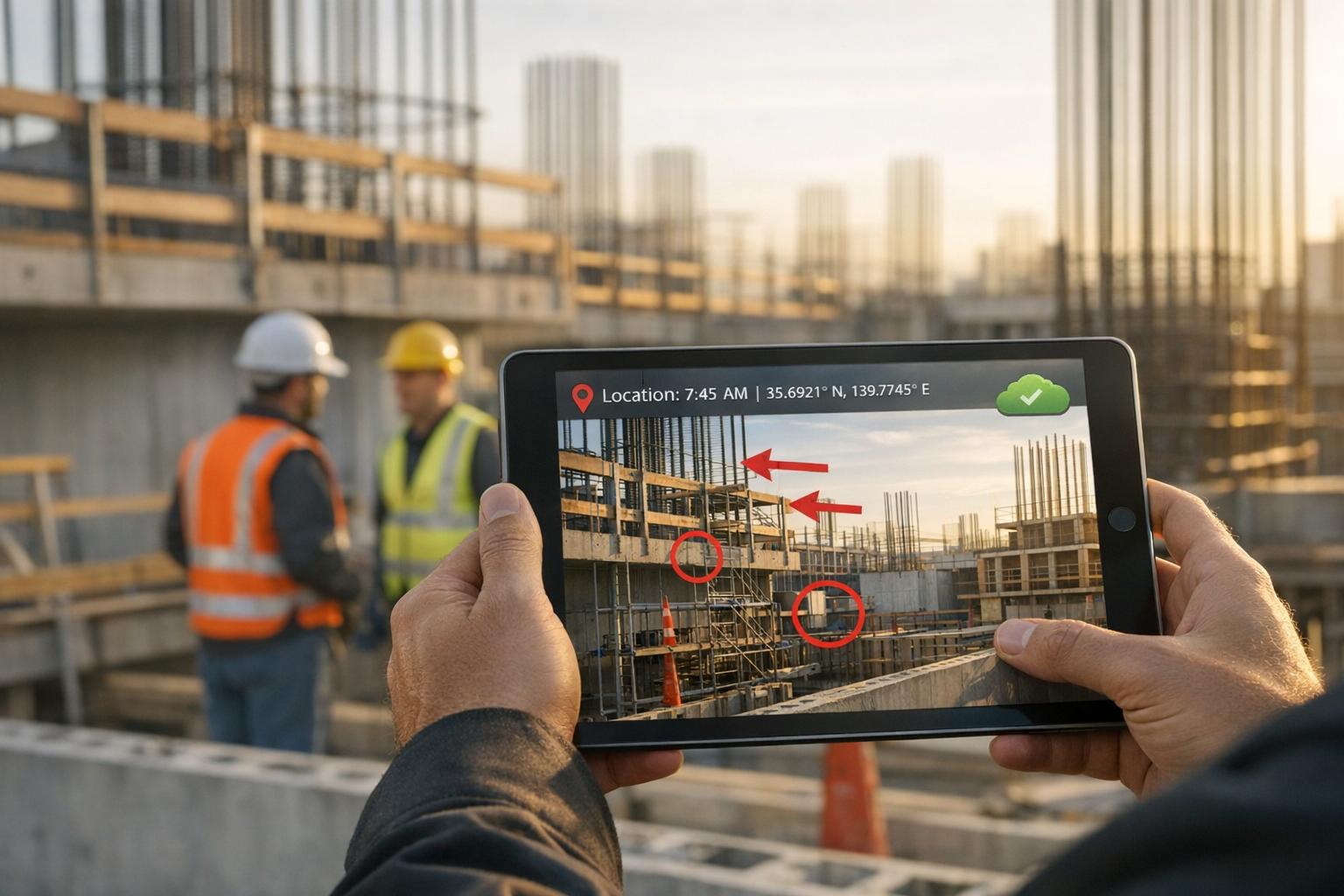
Construction sites lose $177.5 billion annually in the U.S. due to rework and poor data handling. Nearly half of this stems from miscommunication and construction photo documentation. Photo markup tools are emerging as a key solution to these challenges.
These tools allow teams to annotate photos with arrows, text, and notes, while automatically tagging GPS coordinates and timestamps. This ensures clear communication, reduces errors, and saves time. For example:
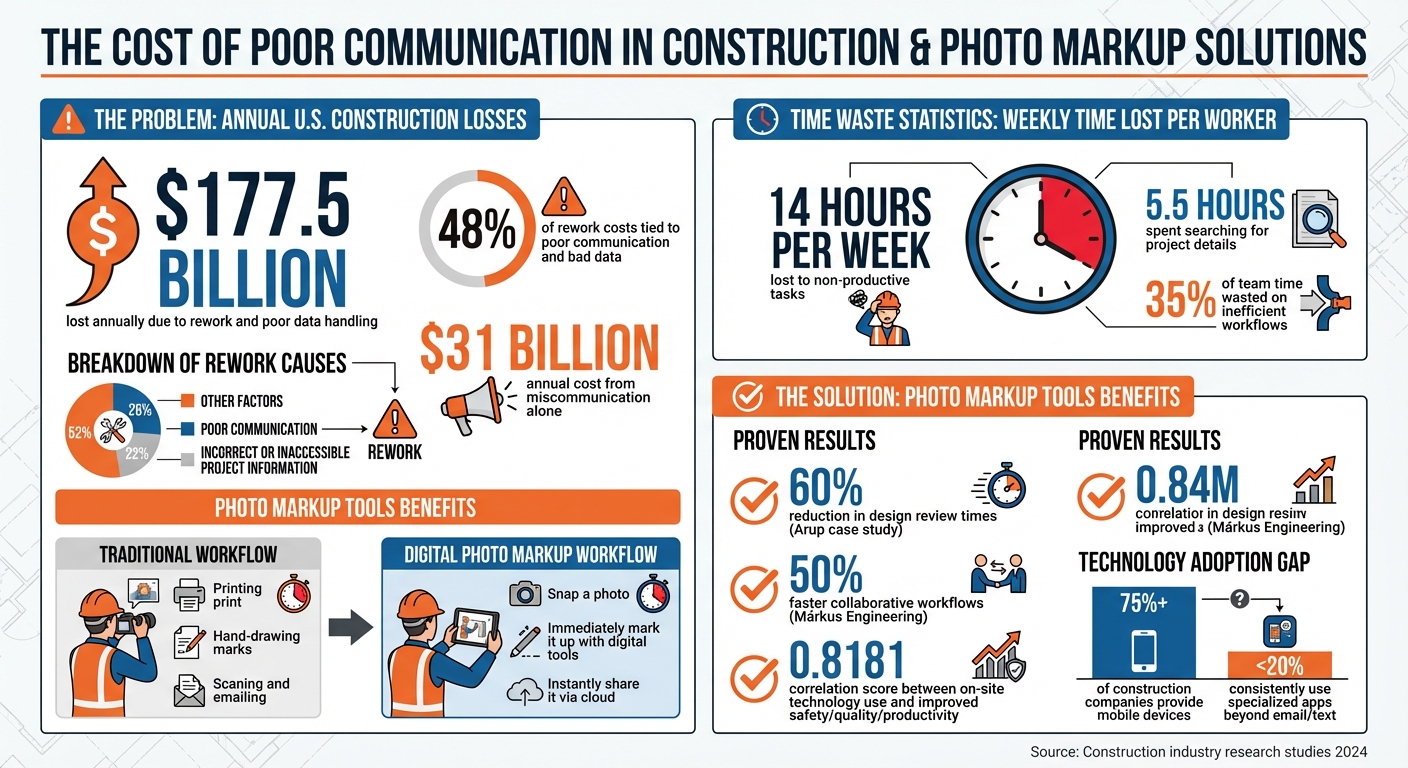
- 48% of rework costs are tied to poor communication and bad data.
- Workers save 14 hours per week by avoiding manual tasks like searching for project details.
- Tools like CrewCam help create tamper-proof records, improve safety, and streamline workflows.
The results? Faster decisions, fewer disputes, and improved efficiency. With features like real-time sharing, cloud storage, and offline functionality, photo markup tools are transforming how construction teams work.
Construction Industry Rework Costs and Photo Markup Tool Benefits
Research Findings: Photo Markup Tools and Jobsite Efficiency
Time Savings with Digital Annotations
On average, construction workers lose over 14 hours each week dealing with tasks like hunting for project details and resolving preventable issues. Photo markup tools tackle this problem by cutting out manual data entry and simplifying documentation processes.
For example, project teams spend about 5.5 hours weekly searching for updated project details, such as revised drawings or material cut sheets. With digital annotation tools, field workers can instantly add notes, timestamps, and even GPS coordinates to photos as they take them. Instead of digging through paper logs or scrolling endlessly through unorganized phone galleries, crews can find the exact photo they need in just seconds, thanks to automated file organization.
These tools also make reporting a breeze. With a single click, annotated photos and inspection data are transformed into polished, professional reports.
"Poor communication among team members, and incorrect or inaccessible information that workers need to do their job is costing the construction industry tens of billions of dollars annually."
- Jay Snyder, Technology Practice Lead, FMI
By saving time, these tools not only boost efficiency but also improve overall workflow clarity, leading to better communication on-site.
Better Workflows through Visual Context
Beyond saving time, photo markup tools bring another major advantage: they provide visual clarity that makes communication on the jobsite much easier. For instance, when a foreman uploads a photo with clear annotations - like arrows pointing to defects, measurements, or notes - it significantly reduces the chances of misinterpretation. This is critical, as miscommunication and poor project data are responsible for nearly half of all rework on U.S. construction sites.
Real-time sharing is another game-changer. The moment an annotated photo is uploaded to a shared project folder, supervisors can access it immediately, no matter where they are. This eliminates the delays caused by waiting for end-of-day updates or lengthy phone calls. In fact, research shows a strong correlation (0.8181) between the use of on-site technologies and improvements in worker safety, quality, and productivity.
Stuart Frederich-Smith, Vice President of Product Marketing at PlanGrid, describes this as creating a "central source of truth", ensuring every team member has access to the same accurate and up-to-date information at all times. This shared clarity helps keep projects on track and teams aligned.
sbb-itb-5f4c686
Reducing Errors with Annotated Photo Documentation
Preventing Miscommunication with Visual Clarity
Field workers can cut down on costly mistakes by adding arrows, text boxes, and notes directly onto photos. This eliminates the need for separate texts or calls, making it easier to pinpoint issues. For example, marking up a photo with problem descriptions ensures all critical details are centralized in one place.
This method also helps avoid design and spatial errors. Tools like AR and VR take this a step further by offering real-time visualization, making it easier to catch potential problems. When paired with annotated photos, these technologies provide the visual context needed to spot and resolve issues before they turn into expensive fixes.
Adding geolocation and timestamps to annotated images creates tamper-proof records of time, location, and action. This not only prevents miscommunication but also strengthens project documentation, reducing disputes. By offering clear and reliable visual records, teams can improve both safety and precision in identifying defects.
Higher Accuracy in Safety and Defect Identification
Photo annotations do more than just improve clarity - they also enhance safety and defect detection. For instance, annotated photos make it easier to identify hazards and defects on-site. A study involving 2,780 construction workers revealed a strong positive correlation (0.8181) between the use of on-site technologies, like photo documentation tools, and improved safety, quality, and productivity. Essentially, the more technology is used, the safer and more accurate the work becomes.
Supervisors can also use annotated photos to remotely review site conditions, ensuring compliance before moving to the next stage. For example, contractors often annotate photos of foundations before pouring concrete, providing clear evidence of safety and compliance for audits. This proactive approach to quality control catches problems early, making them easier and less costly to fix. Additionally, combining photo documentation with barcode scanning or RFID tracking boosts worker performance, with scores averaging 8.94 out of 10 compared to 8.73 for those who don’t use these tools.
Improving Team Communication and Collaboration
Real-Time Sharing for Better Team Alignment
Real-time sharing is a game-changer for keeping teams on the same page, especially when it comes to bridging the gap between field and office. Sharing annotated photos instantly ensures everyone is aligned, while cloud platforms eliminate the delays caused by emailing and waiting for daily reports.
The results speak for themselves. Arup, a global engineering firm, managed to slash their design review times by 60% by using industry-standard markup tools that enabled real-time collaboration. Márkus Engineering saw similar benefits, cutting collaborative workflow times by 50% by standardizing communication with architects through integrated markup software. And AECOM successfully handled 100,000 comments from 400 collaborators, showing how centralized communication can keep even the most complex projects on track. Features like posting Requests for Information (RFIs) directly onto specific sections of digital drawings make it easier for teams to stay informed, speeding up decisions and improving visibility across devices.
But it doesn’t stop at real-time updates. The combination of cloud storage and offline functionality takes documentation and communication to the next level.
Simplified Documentation with Cloud and Offline Features
Cloud storage has revolutionized how teams access project information. Workers reportedly lose over 14 hours a week - nearly two full workdays - just searching for information or fixing preventable issues. With automated cloud systems, photos and documents are sorted by project, crew, or team member, making retrieval almost instant.
Offline functionality ensures that even in remote areas or places with no cell service, documentation doesn’t hit a dead end. Field workers can capture GPS-tagged, annotated photos offline, which automatically sync to the cloud once they regain connectivity. Tools like CrewCam’s offline mode allow teams to work uninterrupted and then seamlessly update live project feeds or share galleries when back online. This creates a tamper-proof audit trail, which helps avoid rework and resolves disputes quickly - a critical advantage, considering that poor communication and incomplete project data account for 48% of all construction rework in the U.S..
Case Study: CrewCam's Impact on Jobsite Efficiency

CrewCam stands out as a practical example of how digital tools can transform construction sites, tackling inefficiencies head-on.
Photo Annotation Editor for Visual Communication
Miscommunication is one of the most expensive challenges in construction, and CrewCam's annotation tools aim to fix that. Studies show that 26% of rework stems from poor communication, while 22% is caused by incorrect or inaccessible project information. CrewCam addresses these issues by letting users mark up photos with text, arrows, and boxes. This creates a clear, shared visual reference for everyone involved.
The stakes are high - 48% of rework on U.S. jobsites is tied to poor communication and bad data, costing the industry over $31 billion annually. CrewCam’s tools help reduce these risks by ensuring everyone interprets project details the same way.
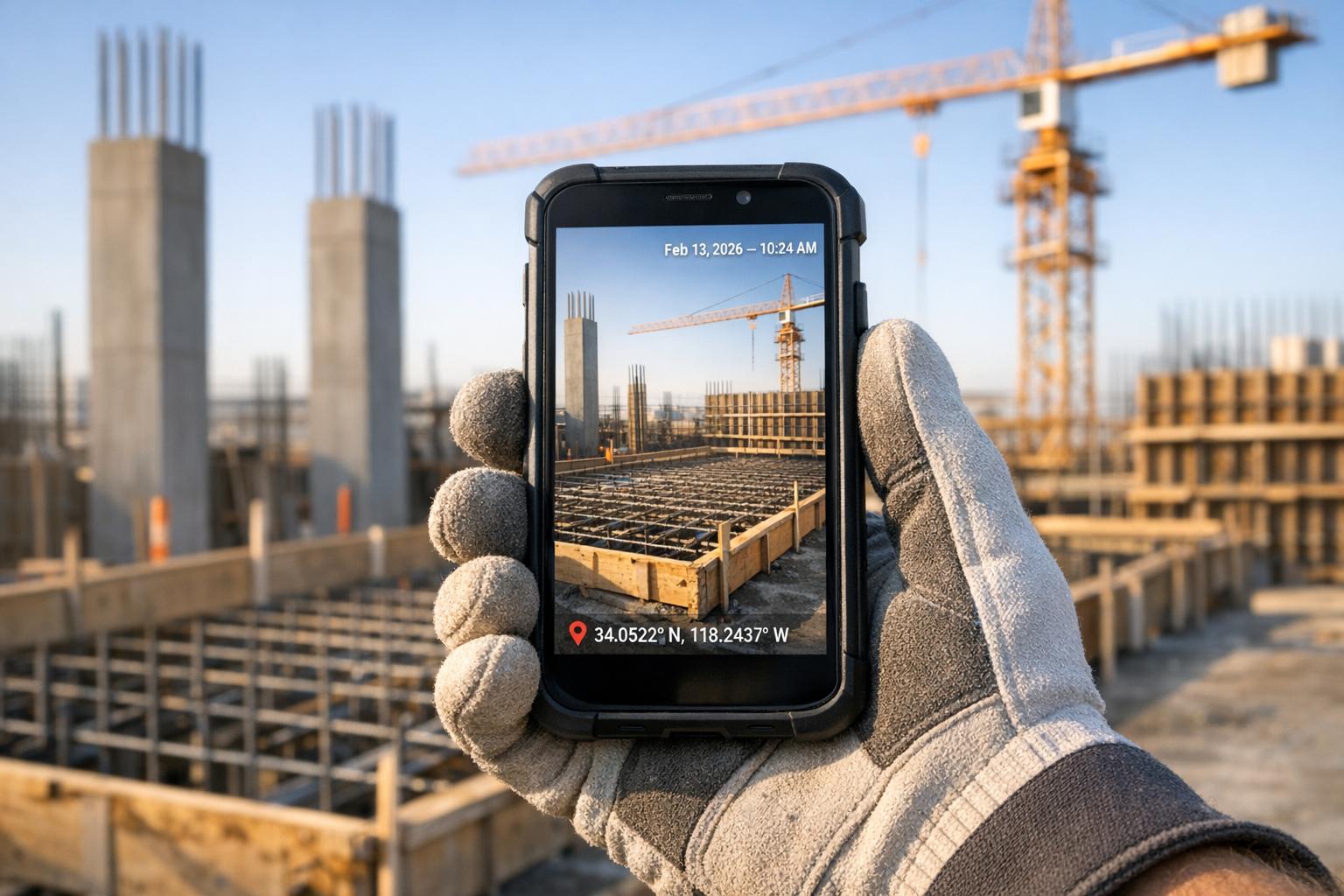
GPS and Time-Stamped Photos for Accountability
Manual paper logs are not just outdated - they’re unreliable. CrewCam’s automatic GPS and time-stamping feature solves this problem by creating tamper-proof records that are perfect for safety compliance, quality checks, and resolving disputes. This is critical when you consider that poor project data leads to $14.3 billion in extra rework costs every year.
This feature is especially useful for documenting hidden work, like foundation inspections before concrete is poured. By syncing tagged photos to the cloud automatically, CrewCam minimizes data scatter and helps teams recover some of the 14 hours per week lost to non-productive tasks, such as searching for records or resolving conflicts.
Task Management with Checklists and Collaboration
CrewCam’s checklists take task management to the next level by requiring photo proof for each completed job. This ensures work meets required standards and helps tackle the 35% of team time wasted on inefficient workflows.
The live project feed adds another layer of transparency, allowing managers to monitor jobsite progress in real time. At the same time, permission-based access ensures crew members only see the tasks relevant to them, keeping things streamlined and focused.
Conclusion
Studies highlight how crucial photo markup tools are in streamlining construction processes. With billions of dollars lost each year and countless hours wasted weekly, sticking to outdated practices comes at a steep price.
CrewCam steps in with practical solutions tailored to these challenges. By centralizing project documentation, automating repetitive tasks, and generating tamper-proof records, it helps reduce disputes and unpaid invoices. Features like digital GPS tagging, real-time updates, and precise annotations directly address the root causes of over $31 billion in annual rework costs linked to miscommunication and poor project data.
Despite the widespread adoption of mobile devices - more than 75% of construction companies equip their field teams with them - fewer than 20% consistently use specialized apps beyond basic communication tools like email and text. Stuart Frederich‑Smith, Vice President of Product Marketing at PlanGrid, underscores the importance of better tools:
"Teams that have easy‑to‑use tools to collaborate in real time, a central source of truth and access to relevant data when they need it will have a greater competitive advantage."
FAQs
How do photo markup tools help reduce costly rework in construction?
Photo markup tools are a game-changer for reducing costly rework in construction. They provide clear visual communication, helping teams spot and address potential issues before they escalate. With features like on-photo annotations, time-stamped records, and GPS tagging, these tools ensure precise documentation, making it easier to avoid misunderstandings and settle disputes efficiently.
By simplifying communication and creating dependable visual records, these tools help minimize mistakes, keep projects running smoothly, and save both time and money.
How do GPS and time-stamped photos improve jobsite efficiency?
GPS technology combined with time-stamped photos offers a clear and reliable way to document work progress, locations, and timelines. These tools not only promote accountability but also make it easier to quickly resolve disputes and adhere to legal or contractual requirements.
By recording exact details of where and when tasks are completed, teams can enhance communication, minimize confusion, and cut down on mistakes. This approach leads to smoother operations and boosts overall efficiency on the jobsite.
How do photo markup tools help improve communication and teamwork on jobsites?
Photo markup tools are a game-changer for communication and collaboration on jobsites. They allow team members to visually annotate photos with notes, arrows, and other cues to pinpoint specific issues or areas of focus. This reduces confusion, keeps everyone on the same page, and helps decisions get made faster - keeping projects on track.
Features like GPS tagging and time-stamped photos add an extra layer of context and accountability, creating a trustworthy record of tasks and progress. These tools also make it easy for multiple team members to collaborate by adding annotations, comments, or even checklists directly to the images. The result? Smoother coordination, fewer mistakes, and faster problem-solving - all of which lead to more efficient jobsite operations.
Related Blog Posts


See CrewCam in action
Start your free trial now by clicking the button below


Wanna chat or demo?
Questions? Concerns? Requests? Talk to a real human

Watch a CrewCam demo now 😎
Short on time, busy, got jobs to do? See how CrewCam works now!