related blog
%20(3).svg)
12
Mobile App Integration for Construction Teams: Benefits
Compare photo-first mobile tools vs. all-in-one construction apps—benefits, accountability, offline use, and when to choose each for field teams.

- Faster Decisions: Real-time updates let teams address issues like design errors immediately.
- Improved Efficiency: Teams can log progress, process change orders, and manage tasks directly from their devices.
- Accountability: Features like GPS tagging and timestamps ensure reliable records, reducing disputes and liability.
- Better Communication: Instant messaging, photo annotations, and live feeds keep everyone aligned.
CrewCam vs. Standard Construction Apps

- CrewCam: Focuses on photo documentation with GPS-stamped images, unlimited cloud storage, and offline functionality. Ideal for teams needing clear visual records.
- Standard Apps: Broader tools for with larger product surface area for invoicing, scheduling, budgeting, and project management.
Key Takeaway: Choose CrewCam for visual documentation or standard apps for all-in-one management - or combine both for the best results.
1. CrewCam
CrewCam is a photo documentation app tailored specifically for construction projects. Unlike standard photo apps or personal camera rolls, CrewCam addresses the unique needs of construction sites, ensuring all images are well-organized, easy to access, and legally reliable.
Documentation and Data Capture
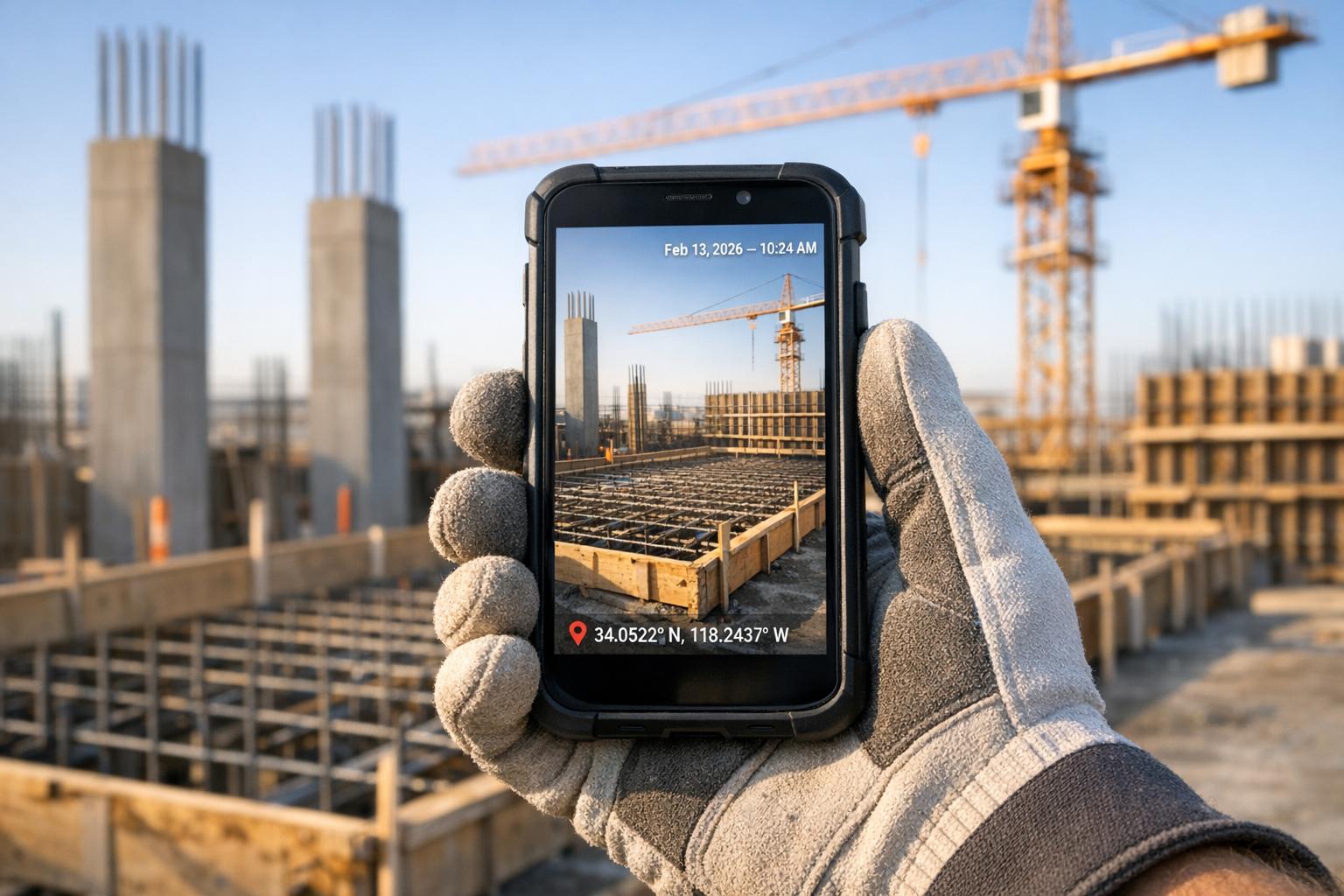
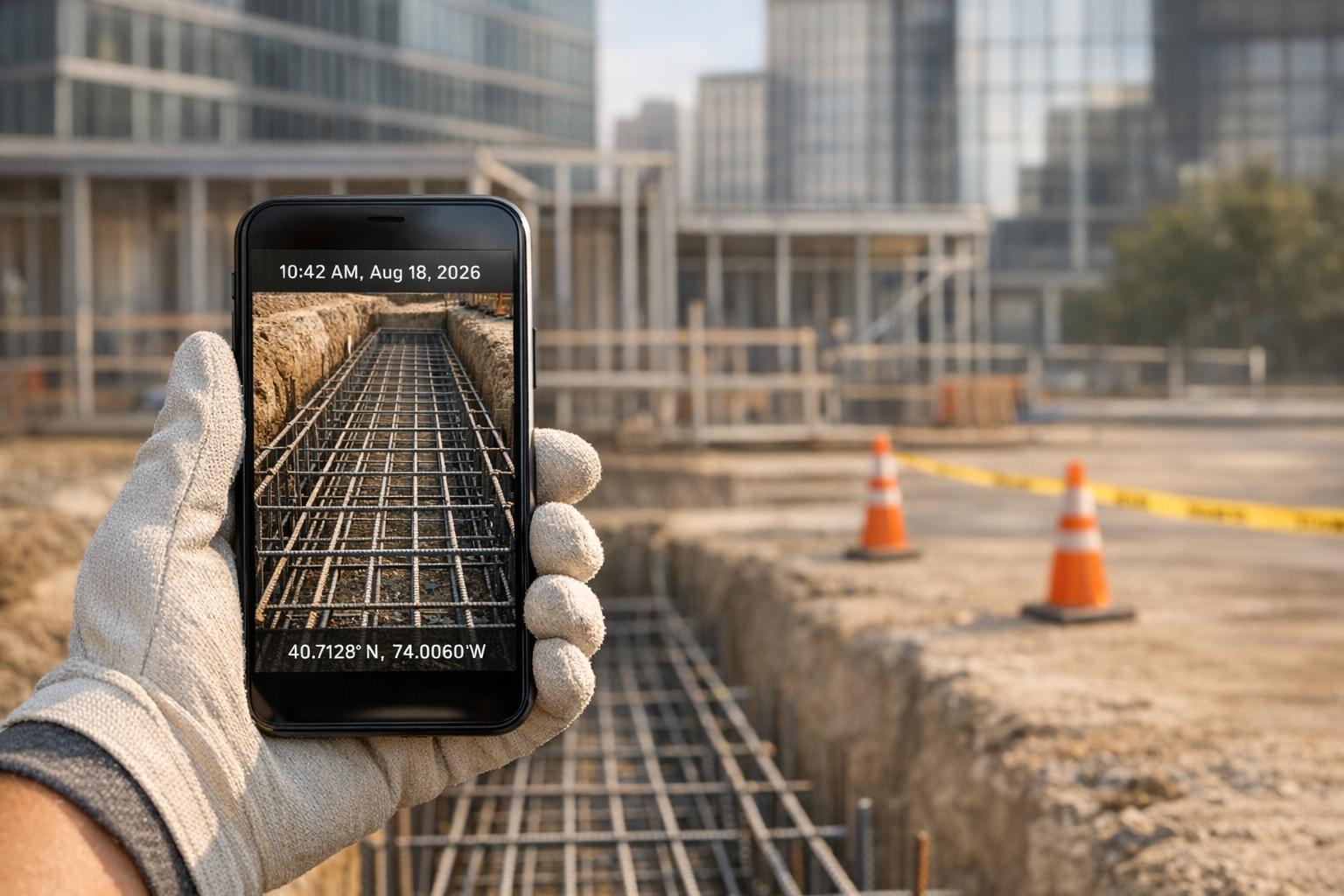
Every photo and video captured with CrewCam includes GPS coordinates, date, and time stamps, creating a reliable record that can help resolve liability issues. These details provide solid evidence of what happened, when, and where.
The app captures high-definition images, preserving even the smallest technical details when zoomed in. This level of clarity is essential for inspecting work quality and documenting progress.
All photos and videos are stored in the cloud with no storage limits, making it possible to document every stage of a project - from site prep to final touches. Files are organized by project and can be accessed via desktop, making it easy to review and share documentation. As CrewCam's founder, Porter, explains:
"A picture's worth a thousand words...only if you can find it."
This structured approach to data capture lays the groundwork for smooth collaboration across teams.
Collaboration Features
CrewCam turns documentation into a team effort. Project managers can invite team members to upload and annotate photos directly, creating a shared visual record that reflects multiple perspectives as the project evolves.
A live project feed keeps everyone on the same page with real-time updates. As soon as a photo is uploaded, the entire team sees it - cutting out delays and eliminating the hassle of traditional file-sharing methods.
The app also allows on-photo annotations, enabling workers to highlight specific areas and add notes directly on images. This visual communication helps clarify issues faster than verbal descriptions, reducing confusion and speeding up decision-making.
Photo checklists are another standout feature. Workers can attach photos as proof of task completion, allowing managers to verify progress remotely without needing to visit the site. This approach ensures real-time quality control and streamlines task management.
For projects involving subcontractors, clients, or specialized teams, CrewCam offers controlled access. Guest collaborators can be invited to specific projects, giving them access to relevant documentation without exposing unrelated files. Additionally, external sharing options allow clients to view project photo galleries through a simple link - no app or account required. This transparency keeps clients informed about site conditions, milestones, and completed work, cutting down on status meetings and building trust.
Accountability and Transparency
Automatic GPS and time stamps provide clear, indisputable records that can resolve disputes. For example, Porter recalls a flooded basement incident during a home remodel where subcontractors tried to shift blame. Thanks to accurate photo records, he was able to pinpoint responsibility and avoid confusion. This experience shaped CrewCam’s focus on creating thorough, accessible visual documentation.
The app’s task management features go a step further by integrating photo requirements, creating an audit trail that not only confirms tasks are complete but also shows how they were executed. This detailed record helps construction managers ensure compliance, handle client handoffs smoothly, and provide warranty support down the line.
Offline Functionality
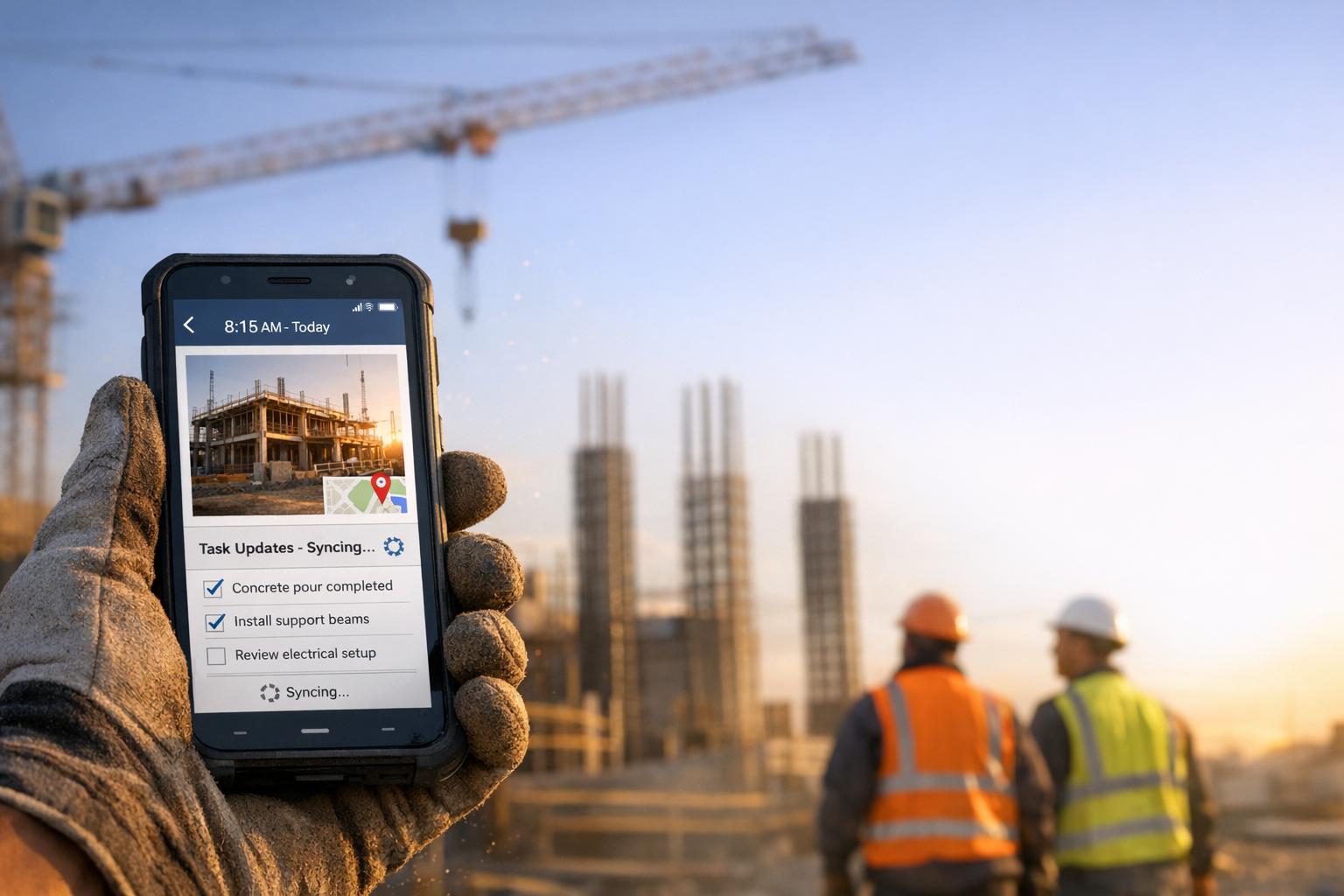
CrewCam also shines in environments with spotty internet. Construction sites often face connectivity challenges, whether they’re in remote areas, underground, or in buildings with poor signal. CrewCam’s offline mode allows workers to capture photos and videos without an active connection. Once back online, the app automatically syncs all data, saving workers from the hassle of manual uploads.
This offline capability ensures no critical documentation gets lost, keeping teams productive even in areas with limited connectivity. As soon as workers return to a location with WiFi or cellular service, their updates are instantly reflected in the shared project feed, ensuring that progress continues uninterrupted, no matter the circumstances.
2. Standard Construction Management App
Standard construction management apps are versatile tools designed to digitize and simplify various aspects of construction operations. Unlike niche solutions like CrewCam, which focus on visual documentation, these apps cover a broader range of tasks, integrating back-office systems with mobile applications to create a connected ecosystem for managing projects across an organization.
Documentation and Data Capture
These apps excel at real-time data capture, using digital forms, checklists, photos, and videos to streamline documentation. By reducing errors associated with manual entry, they allow workers to record site conditions, track progress, and log incidents directly from their mobile devices. This data is then automatically synced to back-office systems for immediate access.
With instant data flow from the field to the office, managers can make quicker decisions based on up-to-the-minute information, whether they’re on-site, in transit, or working remotely. Features like GPS tagging, timestamps, and annotations enhance the reliability of records, making them valuable for audits, incident investigations, and overall project accountability.
Unlike traditional paper-based methods, which can be lost or hard to read, digital documentation ensures that all stakeholders have access to accurate, legible records. Tools like direct check-in/check-out features save time, while integrated photo and video capabilities provide visual evidence to support written reports.
This seamless documentation process sets the stage for better collaboration among team members.
Collaboration Features
Standard construction management apps act as centralized hubs for communication, offering built-in messaging, notifications, and instant updates to keep everyone on the same page. For example, if a beam is misaligned, team members can quickly snap a photo, annotate it, and share it with project managers or design teams. What might have taken days to resolve can now be addressed in minutes.
Clients also benefit from real-time dashboards and billing updates, which give them full visibility into project progress. Shared dashboards and reports reduce the need for constant status update calls or emails, fostering trust and improving client relationships. This level of transparency positions construction companies as organized and professional.
Field workers can log daily progress directly on their devices, attaching photos or videos as needed, eliminating the need to return to the office for reporting. Change orders can be approved instantly, bypassing the delays of email-based processes. These streamlined workflows lead to significant productivity gains, helping teams meet tighter schedules while minimizing downtime.
Supervisors gain access to live dashboards that provide real-time insights into labor, materials, and quality, ensuring everyone is aligned with the latest project developments. This reduces delays and avoids costly rework by keeping all stakeholders informed.
While these apps excel at managing broad operations, CrewCam offers a more focused solution, emphasizing visual documentation with features like unlimited cloud storage and photo-driven workflows tailored for construction accountability.
Accountability and Transparency
By combining real-time data capture with collaborative tools, standard construction management apps reinforce accountability. They track attendance, task completion, and safety compliance digitally, giving managers a clear view of workforce activities and ensuring accurate payroll and compliance reporting.
Digital tracking boosts worker engagement by recognizing individual contributions and creates detailed audit trails that document who performed specific tasks and when. Integrated safety checklists and hazard reporting further ensure compliance with safety regulations, reducing liability and maintaining verifiable records of compliance efforts.
In an industry known for its higher injury rates, these apps play a vital role in improving safety. By replacing paper trails and manual processes with efficient digital workflows, they bring accuracy and speed to construction operations, ultimately reducing risks.
Offline Functionality
Many standard construction management apps offer offline capabilities, allowing workers to capture data, complete forms, and log information even without an internet connection. Once a connection is restored, the app automatically syncs the data with the central system.
This feature is especially useful on remote job sites or in areas with limited network coverage, ensuring that work continues without interruptions caused by connectivity issues.
sbb-itb-5f4c686
Pros and Cons
When deciding between a specialized photo documentation tool like CrewCam and a broader construction management platform, it's essential to weigh their strengths and limitations. The table below highlights key differences to help you understand how each option fits your team's needs.
| Feature | CrewCam | Standard Construction Management App |
|---|---|---|
| Documentation Capabilities | Pros: GPS and time-stamped photos create reliable visual records; HD photo capture ensures precision; unlimited cloud storage; on-photo annotations provide immediate context; photo checklists visually confirm task completion. Cons: Focused solely on visual documentation; lacks integration with scheduling, budgeting, or resource management. |
Pros: Integrates photos with schedules, budgets, and change orders; digital forms streamline data entry; syncs automatically with back-office systems. Cons: Photo organization can be cumbersome; visual documentation takes a backseat to broader project management tasks. |
| Collaboration Tools | Pros: Real-time visual updates through a live project feed; team members can upload photos simultaneously; annotations enhance communication; sharable photo galleries simplify client updates. Cons: Collaboration is limited to visual elements; lacks a robust messaging system for non-visual coordination. |
Pros: Centralized communication with instant messaging and push notifications; real-time dashboards provide full project visibility; workflows connect field teams and office staff seamlessly. Cons: Visual communication tools may require extra steps; managing simple photo-sharing tasks can feel overly complex. |
| Accountability Features | Pros: GPS and timestamp data on every photo ensure defensible records; photo checklists visually verify task completion; audit trails clarify who captured what and when. Cons: Limited to visual accountability; lacks process-based tracking like approval workflows. |
Pros: Tracks approvals and compliance through detailed audit trails; digital checklists monitor task progress and safety; structured workflows enhance accountability. Cons: Visual accountability isn't as streamlined as a photo-focused tool; comprehensive tracking may require training. |
| Offline Functionality | Pros: Offline mode supports photo capture and basic tasks without connectivity; syncs automatically when reconnected; fewer data types reduce sync issues. Cons: Offline features are limited to photos and basic tasks; real-time collaboration requires an active connection. |
Pros: Offline access extends to drawings, schedules, and resource data; syncs complex project information upon reconnection. Cons: Broader offline capabilities can lead to sync conflicts and higher storage use; managing offline workflows may require training. |
| Task Management | Pros: Project-based photo checklists help organize tasks efficiently; visual task confirmation reduces office reporting. Cons: Limited automation; does not handle scheduling, time tracking, or invoicing. |
Pros: Automates scheduling, time tracking, and invoicing; allows field teams to log progress directly; approval workflows simplify change orders. Cons: Complexity may require training; broader features might be unnecessary for teams focusing on documentation. |
| Real-Time Data Access | Pros: Live project feed provides instant visual updates; desktop access allows flexibility; quick tactical decisions supported by real-time photos and annotations. Cons: Limited to visual updates; lacks access to schedules, budgets, or resource data for strategic decision-making. |
Pros: Comprehensive real-time access to schedules, budgets, and site data; live dashboards help avoid scheduling conflicts. Cons: Navigating multiple data sources can be overwhelming for teams needing only visual updates. |
| Cost Structure | Pros: Lower subscription costs; streamlined features reduce training and implementation expenses; starts at $39/month for small teams. Cons: Focused on visual documentation, so additional tools may be needed for broader management. |
Pros: Automation reduces repetitive tasks and material waste, potentially lowering operational costs; efficiency gains can offset higher pricing. Cons: Higher costs per user; setup and training can be more complex, especially for smaller teams. |
This comparison underscores the balance between simplicity and functionality. CrewCam is an excellent choice for contractors prioritizing photo documentation and visual accountability. On the other hand, a construction management platform offers a more integrated solution for teams managing larger projects with complex schedules and budgets.
For many mid-to-large construction firms, combining both tools can deliver the best results, even if it means managing two systems. The right choice ultimately depends on whether your team values focused visual documentation or all-encompassing project coordination.
Conclusion
Mobile app integration is reshaping construction workflows by tackling inefficiencies, miscommunication, and accountability issues head-on. Moving from paper-based processes to mobile-first strategies marks a turning point for construction teams aiming for faster, more accurate, and better-coordinated operations.
The advantages are clear and quantifiable. Real-time data access has slashed delays from days to mere seconds. Tools like instant messaging, photo annotations, and live feeds minimize costly rework, while digital records establish transparent audit trails. Field workers can now log progress on-site, saving precious time and reducing administrative burdens.
Specialized tools, such as CrewCam, provide a tailored solution for visual documentation and accountability. At $39 per month for small teams, CrewCam offers GPS and time-stamped photos that create defensible job records. Its live project feed ensures everyone stays updated with real-time visual progress, while on-photo annotations eliminate the need for lengthy explanations. Features like photo checklists visually confirm task completion, cutting down on office reporting. Even in remote locations with poor connectivity, its enhanced offline mode allows seamless documentation, syncing automatically when service is restored. For contractors, subcontractors, and service professionals seeking straightforward, organized visual records, CrewCam delivers focused functionality at a reasonable cost.
On the other hand, standard construction management apps go beyond visual documentation, addressing broader project management needs. These platforms integrate photos with schedules and budgets, automate tasks, and offer comprehensive oversight. They also provide detailed audit trails for compliance and approvals. For large-scale projects involving multiple teams - engineers, contractors, procurement, and finance - this integrated approach justifies the higher per-user costs and additional training.
Choosing between specialized tools and comprehensive platforms depends largely on the size and complexity of the project. Smaller to mid-sized projects focused on progress tracking, client updates, and liability protection often benefit from specialized photo documentation tools. Meanwhile, larger, multi-faceted projects requiring extensive coordination, budget tracking, and scheduling thrive with comprehensive management platforms. Many mid-to-large firms find success by combining both strategies - using specialized tools like CrewCam for field documentation while relying on broader management systems for overall coordination and financial tracking.
Adopting mobile workflows today sets companies up for long-term success. As construction projects grow in complexity, mobile technology is becoming the backbone of modern, efficient operations. Teams that invest in training, streamlined processes, and integrated systems will scale more effectively and adapt quickly to market demands, leaving competitors stuck with outdated, paper-based methods.
Ultimately, the best mobile app is one that aligns with your operational needs without unnecessary complexity. It should feel intuitive for field teams, integrate seamlessly into your workflows, and deliver real improvements in efficiency, communication, and accountability. Whether you opt for a specialized tool or a comprehensive platform, the right choice will empower your team to work smarter and stay ahead in an increasingly competitive industry.
FAQs
How does CrewCam help construction teams maintain accurate records and accountability?
CrewCam makes documenting construction sites straightforward by offering GPS and time-stamped photos and videos. Every image is automatically tagged with precise location and timing details, creating a trustworthy and organized record of site activities. This helps teams monitor progress and confirm task completion efficiently.
The platform also includes tools like on-photo annotations, notes, and checklists, which enable teams to add important details directly onto images. These features encourage clear communication, simplify workflows, and minimize misunderstandings, all while helping to reduce the risk of liability concerns.
What are the advantages of using a photo documentation app like CrewCam for construction projects?
CrewCam makes managing construction projects easier by providing GPS and time-stamped photos, ensuring your project records are precise and trustworthy. Its real-time collaboration tools allow team members to contribute to documentation instantly, keeping everyone on the same page.
Features like on-photo annotations, task checklists, and a shareable photo gallery improve communication, simplify task tracking, and help minimize potential disputes. It’s a smart way to keep your projects organized and moving efficiently.
How do mobile apps enhance communication and boost efficiency for construction teams in remote or low-connectivity areas?
Mobile apps like CrewCam are transforming how construction teams communicate and manage their work. Designed specifically for jobsite demands, the app offers features like GPS and time-stamped photos to ensure precise documentation. Meanwhile, its real-time collaboration tools help keep everyone on the same page - even in areas where connectivity is spotty.
Additional tools, such as on-photo annotations, checklists, and offline capabilities, make it easier for teams to stay organized and productive. These features help reduce delays and boost accountability, ensuring projects run more smoothly.
Related Blog Posts
See CrewCam in action
Start your free trial now by clicking the button below


Wanna chat or demo?
Questions? Concerns? Requests? Talk to a real human

Watch a CrewCam demo now 😎
Short on time, busy, got jobs to do? See how CrewCam works now!